How I use AI
From my first prompts in Google Colab to Claude Code in the terminal and bots that work on this site. How I use AI at work and on personal projects.
- #ai
- #development
- #tools
How it started #
I started when generative AI was just appearing. Back then you had to train things first: I’d prepare a training file in Google Colab and then write the prompts in an app on my computer (I think it was Stable Diffusion).
When I started working, ChatGPT came out. At first I used it almost like a search engine: it helped me a lot with regular expressions (regex), some programming questions, and questions about how things work.
Then came Cursor and many other code editors and plugins with AI. I barely used Cursor because the tokens (the units of text used to measure and limit usage) ran out quickly. Then I moved to Copilot, then to the Copilot plugin with Anthropic’s model, and there the tokens ran out even faster.
So I switched straight to Anthropic, and the difference was huge: it was very smart, I didn’t have to explain as much, and it understood me. Since then I’ve used Opus, and Claude Code from the terminal, because I find it very comfortable. Most of the time I explain what to do and there’s very little back and forth: one or two corrections and it’s done. Before, I’d spend quite a while explaining, testing, deleting and redoing things because of errors.
Thanks to deals and free months, I also try Grok Bot, ChatGPT and others, paying little or nothing during the trials. Claude is the one I always pay for, and for work it still feels like the best option to me.
These days I’m having a lot of fun with motion graphics. I even built a video editor that Claude runs from the inside: my Motion Lab project.
Day to day #
I use it for different problems at work: I explain what to do, it prepares the fix, and I review what it did. I often change things, because it doesn’t always get it right, and we talk about what it’s doing wrong or what it shouldn’t do.
I don’t let it make changes to the repositories without my permission. They’re important repositories for very large projects, and letting it push changes unsupervised would be very risky, especially if it ever uploaded a password or something it shouldn’t.
It also doesn’t have access to important platforms like GitHub, Jira, Acquia or SearchStax. I can ask it to explain something about them, but changing things on its own, never.
This site, built with bots #
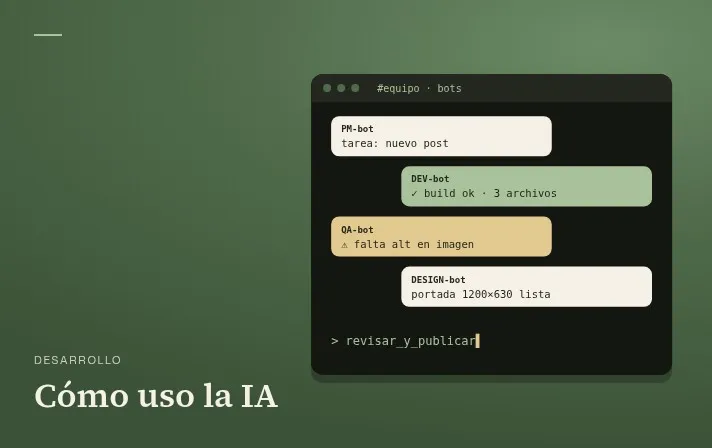
This is where I do experiment a lot, because it’s a personal project and I give it a lot of freedom. I create bots for different roles: a PM, a developer, QA, a designer, and so on. Each one does its part, reviews another’s work and fixes what’s needed. Since they all use a single GitHub account, it looks like I’m talking to myself, which I find pretty funny.
Even though I give them a lot of freedom, I always review the important things myself: that no keys or secrets get uploaded, that nothing strange happens by accident, and that everything stays secure. And the site turned out pretty well. Of course, the architecture work at the start, and explaining what to do and what not to do, is always mine, so they’re clear on where to go. And I do almost all of it from my phone.
The downsides #
The usage limit, or the price. Even though the major AI companies are still operating at a loss, it still feels like too little for everything you want to do.
There are also times when I’ve had to say “that’s not it, it’s not like that,” though maybe I didn’t explain it well from the start, so I’m still getting better at that.
Advice if you’re just starting #
Start, try things, break them, change them, experiment with everything. But don’t stop learning the basics, architecture and, above all, security. With that foundation you can learn, improve and build things with purpose and real knowledge. Otherwise, the AI makes a lot of mistakes that someone without that foundation won’t notice.