Validating content inside CKEditor 5 without annoying editors
How I went from fixing content by hand to preventing accessibility errors in CKEditor 5: live warnings, blocking only where needed, and editor CSS.
- #drupal
- #ckeditor
- #accessibility
- #javascript
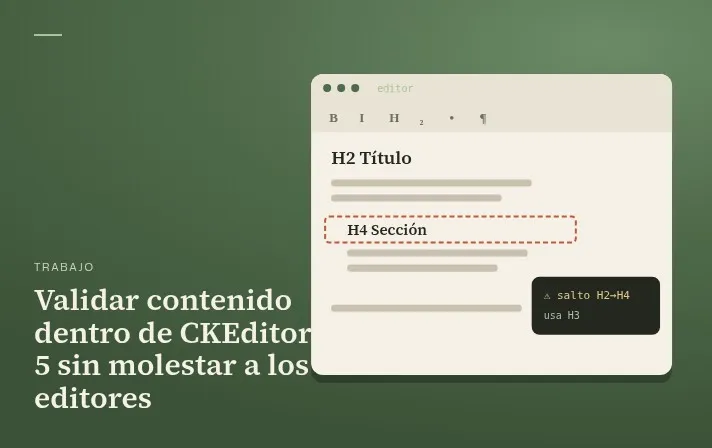
After several rounds of accessibility requests, I realized something a bit uncomfortable: most of the problems weren’t in the code, but in what editors were writing. Images with no alt (the alternative text screen readers read aloud), headings that jump from H2 to H4 (not a strict WCAG failure, but W3C guidance recommends avoiding it), or alt text like “Image” or “photo1.jpg”.
Fixing that by hand works once, but two months later the same report comes back. So the approach changed: the errors had to be prevented inside CKEditor 5, the text editor used in Drupal, without making life harder for the people writing. Here are three cases from that work.
First, make the editor show what’s really there #
This one started as a bug reported in an issue, not as an accessibility request. Editors were seeing lists with no bullets or numbers inside the editor, even though they looked fine on the published site. In other words, the editor wasn’t showing what would actually be published.
The same list in the editor, before (left) and after (right) the fix. The text is pixelated.
The cause wasn’t hard to find.
It turned out the editor stylesheet removed the formatting from every list and then redrew the bullets with ::before, but only inside a typography class that Drupal never applies to the editing area. The formatting was removed but never added back. I fixed it by moving the list styles into a reusable block (a mixin) and applying it to .ck-content as well:
.typography,
.ck.ck-content {
  @include typography-lists;
}
I compared the site’s final CSS before and after, and it was byte-for-byte identical. What I learned: if the editor doesn’t look like the site, people stop trusting what they see.
Block only what’s clearly an error #
In another request the rule was image-alt: images saved with no alternative text. The database had 342 of them, spread across 57 pages.
The main change was to saving, and the rule ended up like this:
- If an image has no
alt, it can’t be saved. The editor sees a message asking them to add one. - Decorative images are allowed. Those are the ones with
alt="", which is what the “decorative image” toggle in Drupal’s CKEditor 5 sets. That’s valid, because screen readers simply skip them. An image with noaltattribute at all, on the other hand, is a WCAG failure. - 12 characters is only a recommendation. The message suggests at least 12 characters and not starting with “Image of”, but it doesn’t require it. We tried a version that did enforce it and removed it.
This applies to images inside the text, including inside nested Paragraphs, and to image fields too.
What about the 342 that already existed? I didn’t fill them all in with a script. For the 38 images on the pages the scanner flagged, a post_update added alt text written by looking at each image and its context, and I left it ready for review. The rest get fixed the next time someone edits that content, because it can no longer be saved without adding the alt.
A “content checks” plugin #
This was the one I enjoyed the most. For heading order, instead of validating on the server, I built a generic CKEditor 5 plugin where each rule is a small file. I designed it that way so more rules can be added, and so the plugin can grow or change cleanly. For now it only has the heading rule, but I preferred to leave a well-built plugin that can grow:
ContentChecks.addRule({
  id: 'heading-order',
  title: 'Headings should increase by one level',
  check(editor) {
    // walk the model and return the headings that skip levels
  },
});
Under each field there’s a collapsed section, for example “Headings should increase by one level (3)”. When you open it, each issue is a button that takes you straight to that spot in the editor. On save, a dialog shows the failing rules across all fields, with two options: Review or Save anyway. It warns, but doesn’t block. Also, the screen reader announcement only updates when the issues change, so it doesn’t repeat with every keystroke.
Honestly, the details were what took the most work. Drupal has a formSingleSubmit that blocks a second submission of the form with the same values, so it treated my “Save anyway” as a duplicate. Paragraphs creates and removes editors over AJAX whenever a paragraph is added, opened or collapsed, even while someone is typing. And in source mode, what you type stays in that text box and only reaches the editor’s content when you leave that mode or when the data is requested with getData(). And I wrapped each rule in its own try/catch, so if one fails, the others keep working.
Some things I left out on purpose. The first heading in each field isn’t checked, because the right level depends on what the page shows above it, and headings that come from templates aren’t included either.
What I’m taking away #
Preventing is better than cleaning up afterward. Block only what’s definitely an error, like an alt that doesn’t exist, and just warn about the rest. Respect the valid cases, like alt="" on decorative images. The editor has to look like the site. And make the warning lead to the problem: “you have 3 errors” doesn’t help much, but a button that takes you to the heading does.